TR Pro

Low-voltage battery

TR Pro.

LFP battery storage in a wall-mounted format, with three specified models and an IP66 enclosure. Pair with a compatible external inverter.

INVERTER
Compatible external inverter required
ENCLOSURE
IP66
NOMINAL ENERGY
10.24 / 16.076 kWh
BATTERY VOLTAGE
51.2 V nominal DC
Start your project ↗

Specifications

Model / configurationEnergy (kWh)Rated DC (kW)
TR6000WX-Pro10.2410
TR8500WX-Pro16.07610
TR8500WX-ProU16.07610

Self-heating is optional. Power ratings are battery-side DC; actual AC output depends on the selected inverter.

ModelDimensions (mm)Approx. kg
TR6000WX-Pro802 × 620 × 179 / H × L × D95
TR8500WX-Pro822 × 500 × 250 / H × L × D115.5
TR8500WX-ProU872 × 500 × 250 / H × L × D120

Communication: RS485 / RS232 / CAN; Wi-Fi / Bluetooth
Temperature: Charge 0 to 55 °C; discharge −20 to 60 °C

Choose for the equipment room, not a national average.

A cooler garage in an upland location, a dry basement utility room and a summer-warm room in the Rhine region need different checks. Use the temperature and exposure at the battery position to narrow the configuration.

Temperature:
Charge 0 to 55 °C; discharge −20 to 60 °C
ENCLOSURE
IP66
01

Cooler winter location · garage or outbuilding

Germany has regional temperature differences; an unheated equipment room must be assessed separately from the occupied home.

Compare the exact family's charging limits before choosing the placement. TR Pro lists charge 0 to 55 °C and discharge −20 to 60 °C. Optional self-heating needs configuration confirmation; the lower discharge boundary is not permission for subzero charging.

Can the battery position fall below 0 °C during charging?
  • Will the selected heating and charging protections be confirmed for this exact model?
  • Does the location remain dry when cold equipment meets warmer air?
02

Basement utility room · dry and accessible

A dedicated Hauswirtschaftsraum can organise storage and service access; assess actual damp, ventilation and access rather than assuming every basement is suitable.

The EU all-in-one combines inverter and battery in an IP21 housing; it needs no extra inverter. Battery-only TR, HP or TB families require a compatible external inverter. Preserve the selected manual's ventilation and service space.

Is there damp, condensation or a known water-entry route?
  • Are ventilation and service access clear of storage items?
  • Is this a new integrated installation or an addition to an existing inverter?
03

Warmer summer region · indoor heat

Official climate indicators identify warmer summer areas including the Upper Rhine and Rhine-Neckar/Rhine-Main regions; the building can further change equipment-room conditions.

Record the warmest expected temperature at the unit. A listed charging upper limit does not establish full-power operation in an enclosed sun-heated room. HP Ultra temperature limits must be confirmed for the selected configuration; do not copy TR Pro's limits onto it.

Does the room accumulate afternoon or roof heat?
  • What are the exact model's temperature and output derating requirements?
  • Can the proposed mounting position maintain the required cooling space?

Specifications
  • Choose architecture first: EU and TA6000 include an inverter; battery-only families require an external compatible inverter and confirmed communication.
  • Keep charging and discharging temperatures separate. Optional heating and the TA6000 general operating field do not establish universal subzero charging.
  • IP21, IP20, optional IP54 and IP66 are distinct source ratings. None by itself establishes condensation, flooding or coastal salt-spray suitability.

PRODUCT DETAIL / ORIGINAL LITERATURE

Every side. Every connection.

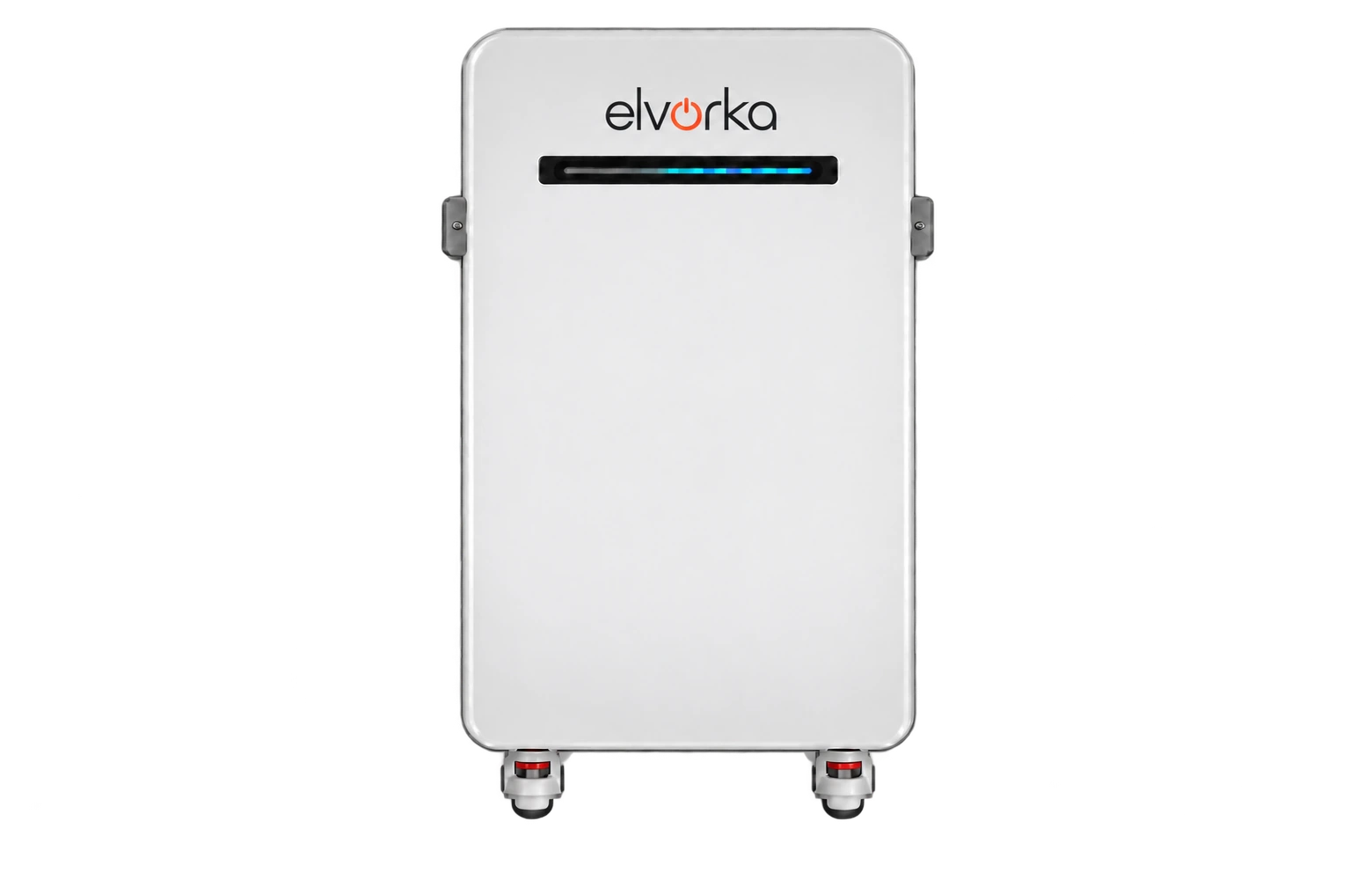
The panel illustrates one wheeled representative housing rather than proving every Pro SKU has the same lower body or port placement. Roller is a wheel. Main Circuit Breaker and Battery Switch are separate source labels. Full embedded switch-photo content beyond the printed crop is not promoted to new interface claims.

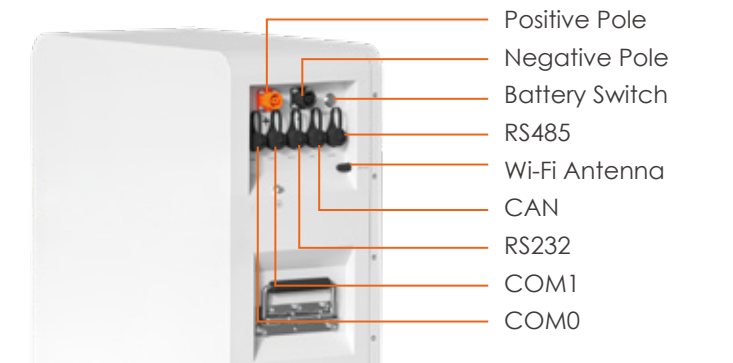
Connection-side terminal labels
Connection-side terminal labelsBattery terminals, switch, Wi-Fi antenna and communication ports on the cabinet side.
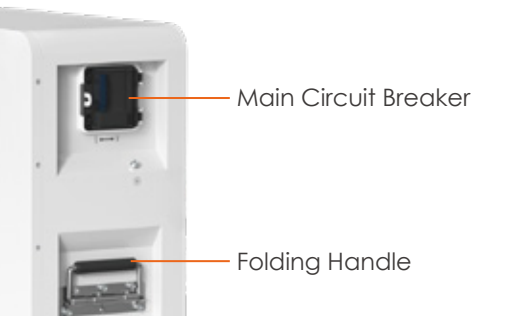
Main breaker and folding handle
Main breaker and folding handleMain circuit breaker and folding handle on the illustrated cabinet side.
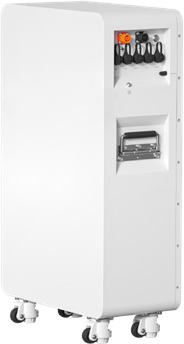
Original connection-side three-quarter view
Original connection-side three-quarter viewConnection-side view of the cabinet, battery terminals and folding handle.
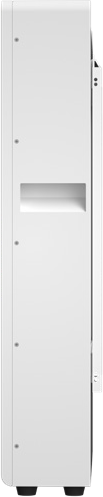
Original narrow side profile
Original narrow side profileNarrow side profile of the illustrated cabinet.
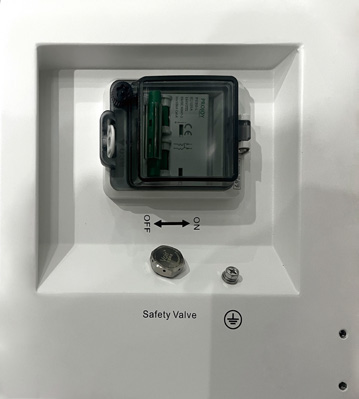
Original circuit-switch photograph
Original circuit-switch photographCircuit-control switch with ON and OFF position markings.

Know your interfaces.

Power connections

Positive battery terminal
Positive DC battery terminal identified on the connection side.
Negative battery terminal
Negative DC battery terminal identified on the connection side.

Communication

RS485
RS485 interface named in the source; pinout and compatible device list are not provided.
Wi-Fi antenna
Wi-Fi antenna identified by the original arrow.
CAN
CAN communication interface named in the source; protocol version and pinout are not specified.
RS232
RS232 communication interface named in the source; pinout is not specified.
COM1
Port named COM1; this page does not explicitly define its role or wiring.
COM0
Port named COM0; this page does not explicitly define its role or wiring.

Controls & indicators

Breathing light
Front status-light strip identified as a breathing light. Colour meanings and operating logic are not specified.
Main circuit breaker
Main circuit breaker identified by the original arrow. Trip ratings and wiring are not provided here.
Battery switch
Battery switch separately named in the connection-side callout; do not merge this label with Main Circuit Breaker without a model-specific manual.

Structure & mounting

Wall-mounted bracket
Mechanical wall-mounting bracket; not an electrical interface.
Rollers
Wheels shown on the representative housing. The label is mechanical and is not a connector or bottom communication port.
Folding handle
Mechanical folding handle; not an electrical connector.

Source: Residential ESS brochure · PDF page 4 · printed pages 7-8